

Verify
Check a download before you use it
Calculates SHA-256 and SHA-512 hashes and verifies OpenPGP release signatures entirely on Passport, so you can confirm a file matches what its publisher signed before you install, copy or open it.
Last updated Sep 2026
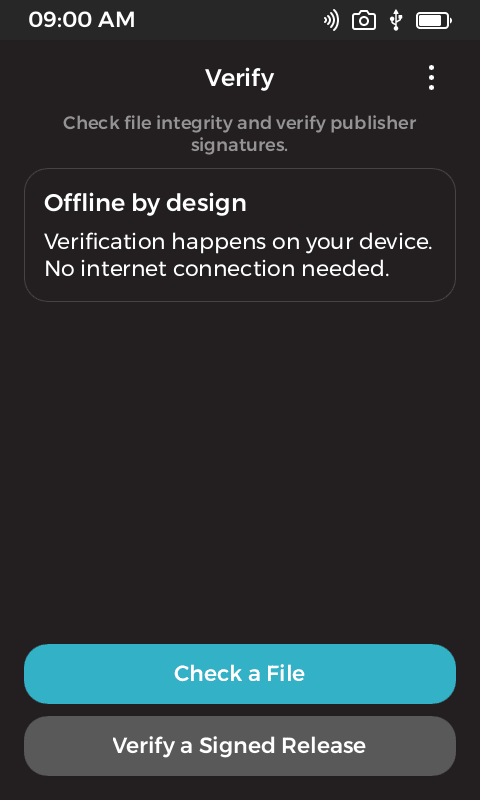

Check a file or verify a release
Overview
Checking a download properly means hashing the file, finding the matching line in a checksum file, and verifying the publisher’s signature over that checksum file. Most people skip it because it happens in a terminal on the same computer that downloaded the file. Verify moves the whole check onto Passport. Pick the files from internal storage, the Airlock, an SD card or a USB drive, and it reports whether the bytes match and whether a publisher key you trust signed them.
It handles the release layouts publishers actually use: a checksum file with a detached signature, a clear-signed checksum file, or a signature made directly over the release file. Publisher keys can be saved for later releases, with trust tied to the full fingerprint rather than the name on the key. The results are worded carefully: a matching hash says the bytes match, and a valid signature says a key signed them. Neither claims the software is safe.
What it does
- SHA-256 and SHA-512, streamed so large files are never loaded into memory in one go.
- Compares against GNU sha256sum and sha512sum manifests, BSD-style manifests, or a single bare digest.
- Verifies detached signatures over checksum files, clear-signed checksum files, and signatures made directly over a release file.
- Accepts ASCII-armored and binary signatures, including bundles with more than one signature.
- RSA keys of 2048 bits or more and Ed25519 signing keys, honouring expiry and revocation carried in the key.
- Saved publisher keys for later releases, with trust tied to the full fingerprint.
- Files from internal storage, the Airlock, SD cards and USB storage through the KeyOS file pickers.
- No network access, and no access to the Passport master seed or Seed Vault. It never signs, decrypts, generates keys or runs the files it checks.
Technical breakdown
How the app is built, for developers evaluating the platform.
Hashing on the device’s own primitives
Hashing goes through the KeyOS crypto service rather than a bundled implementation, using its SHA context calls to feed the file through in chunks. That keeps memory flat regardless of file size and lets a long hash be cancelled part way through. The manifest asks for those SHA calls and read access to the storage locations the pickers offer. Write access is scoped to the app’s own saved-publisher data.
Matching the right line
For signed checksum workflows the checksum entry has to match the selected filename, and a manifest with two entries sharing the same basename is rejected rather than guessed at. A signature over a manifest is only useful if the line being compared is unambiguously the file in hand, so an ambiguous manifest fails closed.
What a green tick means
The app is explicit about the limits of its answer. A valid signature proves a particular key signed those bytes, not that the key belongs to the person it names, that the release is current, or that the software is safe. It cannot learn about a revocation published after the key was loaded, and it verifies at least one acceptable signature in a bundle rather than enforcing a signing threshold. Minisign, Sigstore and compressed OpenPGP messages are out of scope.
Dig into the source
README, architecture notes, and the wire protocol live in the repo.