

Fieldnote
Markdown notes on-device
A Markdown editor and viewer that reads and writes plain .md files in Passport’s encrypted storage, sharing them with the built-in Files app.
Last updated Sep 2026
Submitted by Colonial · GitHub
Third-party submission. Not audited or verified by Foundation.
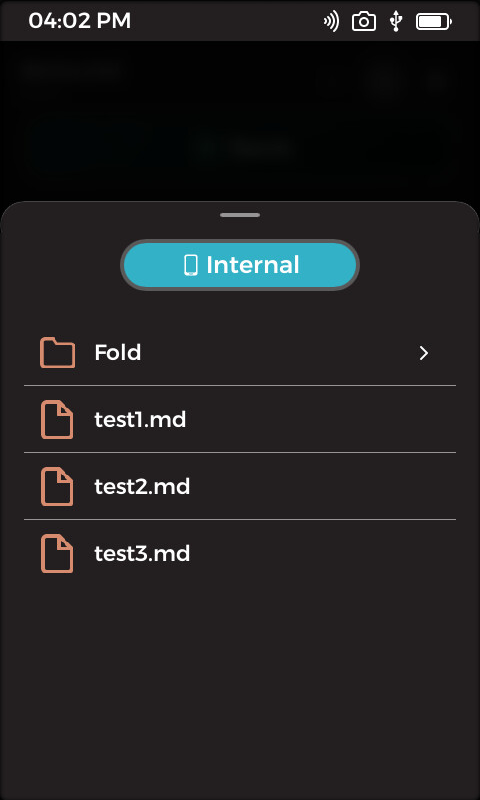

Browse notes in storage
Overview
A Markdown notes app for Passport. Fieldnote reads and writes plain .md files in the device’s encrypted User storage, the same place the built-in Files app looks, so notes made here show up there and the other way round. There is a plain-text editor and a Markdown preview, and because KeyOS has no web view the preview is drawn as styled native text rather than HTML.
The note stays rendered while you work: tap a line to open just that line as raw text, tap another to move on, and Save commits the line and writes the file. The preview covers headings, nested bullets, numbered lists, tappable checkboxes, block quotes, rules, fenced code, links, and inline bold, italic, strikethrough and code. Written by someone who describes themselves as not a professional developer, using the public SDK.
What it does
- Plain .md files in the device’s encrypted User storage, shared with the built-in Files app.
- Tap a single line to edit it as raw text while the rest of the note stays rendered.
- Renders headings, bullets nested by indent, numbered lists, block quotes, rules, fenced code and links.
- Checkboxes are tappable: ticking one rewrites the marker in the note itself.
- Alternative fence and inline-code markers, because the on-screen keyboard has no backtick key.
- Ships its own Montserrat Bold and Italic faces, since KeyOS carries no bold or italic face for the renderer to use.
- Permissions in the app manifest are scoped to only the file access the app actually uses.
- Installs from Settings, Apps, Install App on KeyOS 1.4 or later, once its publisher certificate is trusted.
Technical breakdown
How the app is built, for developers evaluating the platform.
Preview without a web view
KeyOS has no browser engine, so the Markdown preview is not HTML. A small block-level parser turns the file into styled native text, which is what makes the rendered note and the editor the same surface. Leading whitespace is deliberately kept as visual indentation rather than following CommonMark, on the grounds that preserving what was typed is more useful for outlining notes by hand.
Switching the text engine
Slint ships two text engines, and the one KeyOS builds by default shapes a paragraph as a single string with one font and one brush, which discards per-span styling before it reaches the screen. Naming the crate in Cargo.toml and asking for the parley feature switches the engine for the whole build, so bold, italic and strikethrough spans actually render. Nothing in the SDK is patched, so the change survives SDK updates and reproduces for anyone cloning the repo. It costs around 800 KB of app size.
Fonts the device does not have
KeyOS ships Montserrat Light, Regular and Medium plus Source Code Pro, with no bold or italic face, and the software renderer does not synthesise either. Headings asking for weight 700 would quietly fall back to Medium and italics would not slant at all. Apps can carry their own faces, with an app’s fonts taking precedence over the system ones, so this app bundles Montserrat Bold and Italic under the SIL Open Font License.
Dig into the source
README, architecture notes, and the wire protocol live in the repo.